# Potentiometer Module

<figure><img src="https://1077748559-files.gitbook.io/~/files/v0/b/gitbook-x-prod.appspot.com/o/spaces%2F-LuxEcL3mxZNc5Aa92N6%2Fuploads%2Fgcf0zlGqRlVctJUJVwsG%2FYeni%20Microsoft%20PowerPoint%20Sunusu.jpg?alt=media&#x26;token=57be0a22-76fb-4c14-a632-318bdc54226a" alt=""><figcaption><p>Potentiometer Module</p></figcaption></figure>

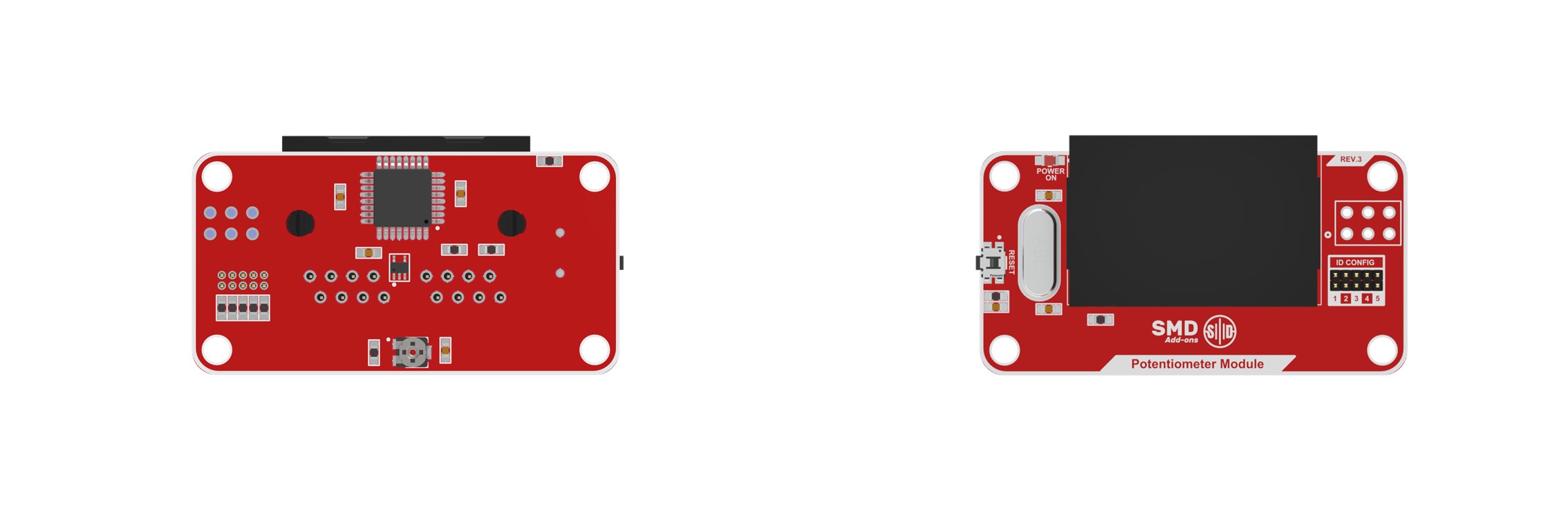
<mark style="color:red;">The Potentiometer Module</mark> is a tool used to convert voltage into analog values for use in many scenarios. The potentiometer serves like a rheostat, changing the resistance by turning the shaft and allowing voltage to be divided and read from a signal pin. The received voltage value is passed through a signal pin and converted to an analog value in the range of \[0, 255]. Thus, this value can be used in different ways in robotic systems.

The potentiometer module can be used in systems needed to adjust different levels of function such as LED brightness level, volume level or motor speed control.

<figure><img src="https://1077748559-files.gitbook.io/~/files/v0/b/gitbook-x-prod.appspot.com/o/spaces%2F-LuxEcL3mxZNc5Aa92N6%2Fuploads%2F0T770JV9mybWnxwiWpnH%2FPotentiometer.jpg?alt=media&#x26;token=d5f4bb5c-9283-4002-a555-24b3c816d9fe" alt=""><figcaption></figcaption></figure>

#### Step Files:

{% file src="<https://1077748559-files.gitbook.io/~/files/v0/b/gitbook-x-prod.appspot.com/o/spaces%2F-LuxEcL3mxZNc5Aa92N6%2Fuploads%2FNOKVoVerAoY1Ex8qYL1K%2FPotentiometer%20Module%20Rev3.step?alt=media&token=01dfd6ee-7824-4b59-b544-c667be0f3861>" %}

{% hint style="info" %}
Ready to integrate? You can purchase the <mark style="color:red;">**The Potentiometer Module**</mark> directly from our [Online Store](https://www.robotshop.com/products/acrome-potentiometer-knob-sensor-add-on-module-acrome-smd-products). Worldwide shipping is available for engineering samples and production batches.
{% endhint %}

---

# Agent Instructions: Querying This Documentation

If you need additional information that is not directly available in this page, you can query the documentation dynamically by asking a question.

Perform an HTTP GET request on the current page URL with the `ask` query parameter:

```
GET https://docs.acrome.net/electronics/add-on-modules/potentiometer-module.md?ask=<question>
```

The question should be specific, self-contained, and written in natural language.
The response will contain a direct answer to the question and relevant excerpts and sources from the documentation.

Use this mechanism when the answer is not explicitly present in the current page, you need clarification or additional context, or you want to retrieve related documentation sections.
